Image Preprocessing
Image Alignment
Repository: github.com/Shkirskiy/image_alignement
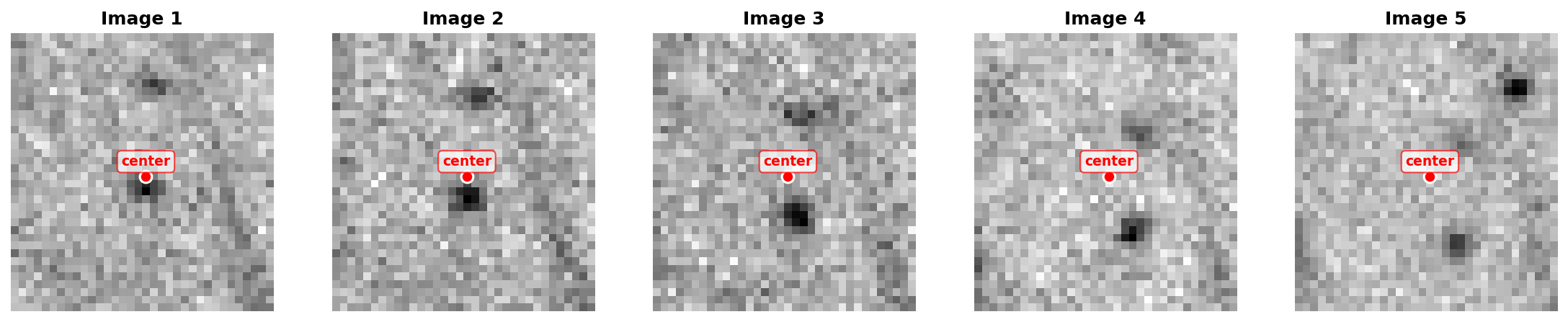
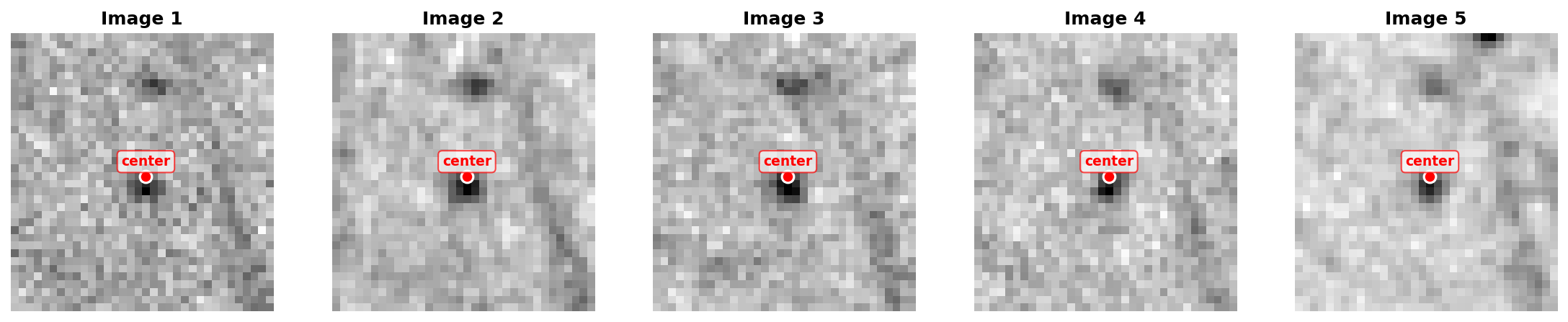
This pipeline is designed to align large sequences of 16-bit .tif images from high-resolution monochromatic cameras. Image misalignment may result from vibrations, thermal drift, or other artifacts. The core methodology is based on manual selection of particles, followed by Gaussian fitting to precisely determine and track their locations. The pipeline then applies drift corrections to transpose images based on the measured particle movements.
The approach assumes your images have:
- Rigid body motion (translation, no shearing or scaling)
- Multiple trackable particles that move together
- Small incremental drift between consecutive frames
The transformation treats the image as a rigid plane that has shifted slightly, and the alignment corrects this by applying the inverse transformation to bring everything back into a common reference frame.
Before alignment:
After alignment:
Video Creation
Repository: github.com/Shkirskiy/video_creator
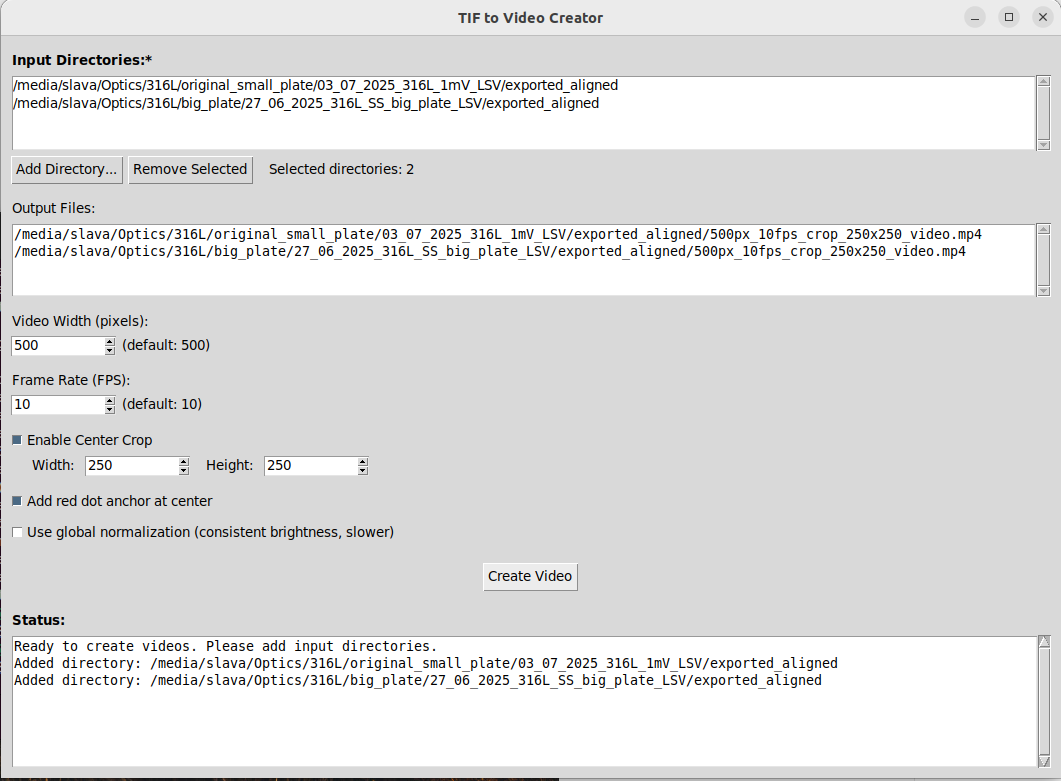
A user-friendly Python application for converting sequences of 16-bit TIF images into MP4 videos with advanced normalization options and batch processing capabilities.
GUI look
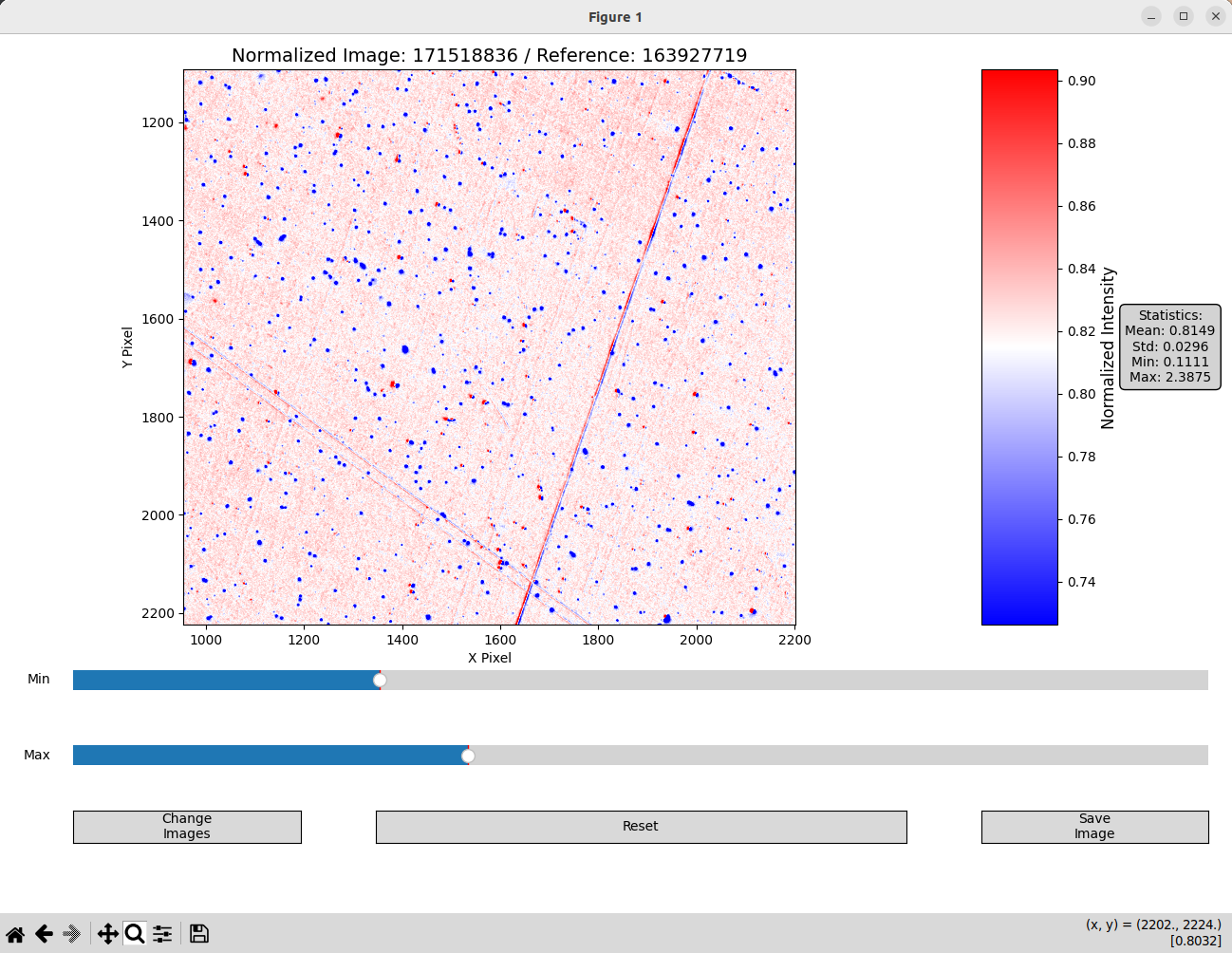
Interactive Image Normalisation
Repository: github.com/Shkirskiy/normalise_viewer
A user-friendly Python application for pixel-wise normalization and visualization of TIFF image sequences with interactive color scaling and time-based image selection
GUI look
Interactive Image Cropping Binning Averaging
Repository: github.com/Shkirskiy/binning_averaging_cropping
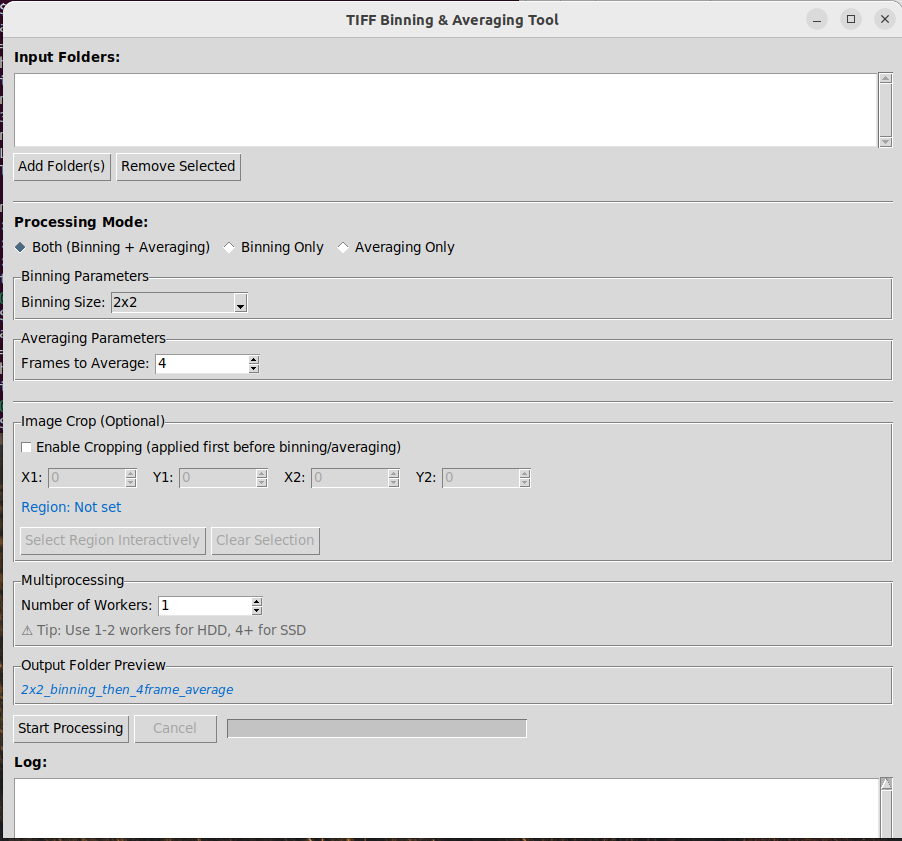
A powerful Python GUI application for processing sequences of TIFF images with spatial binning, temporal averaging, and cropping capabilities. Designed for scientific imaging applications where noise reduction and data compression are essential.
GUI look